Introduction
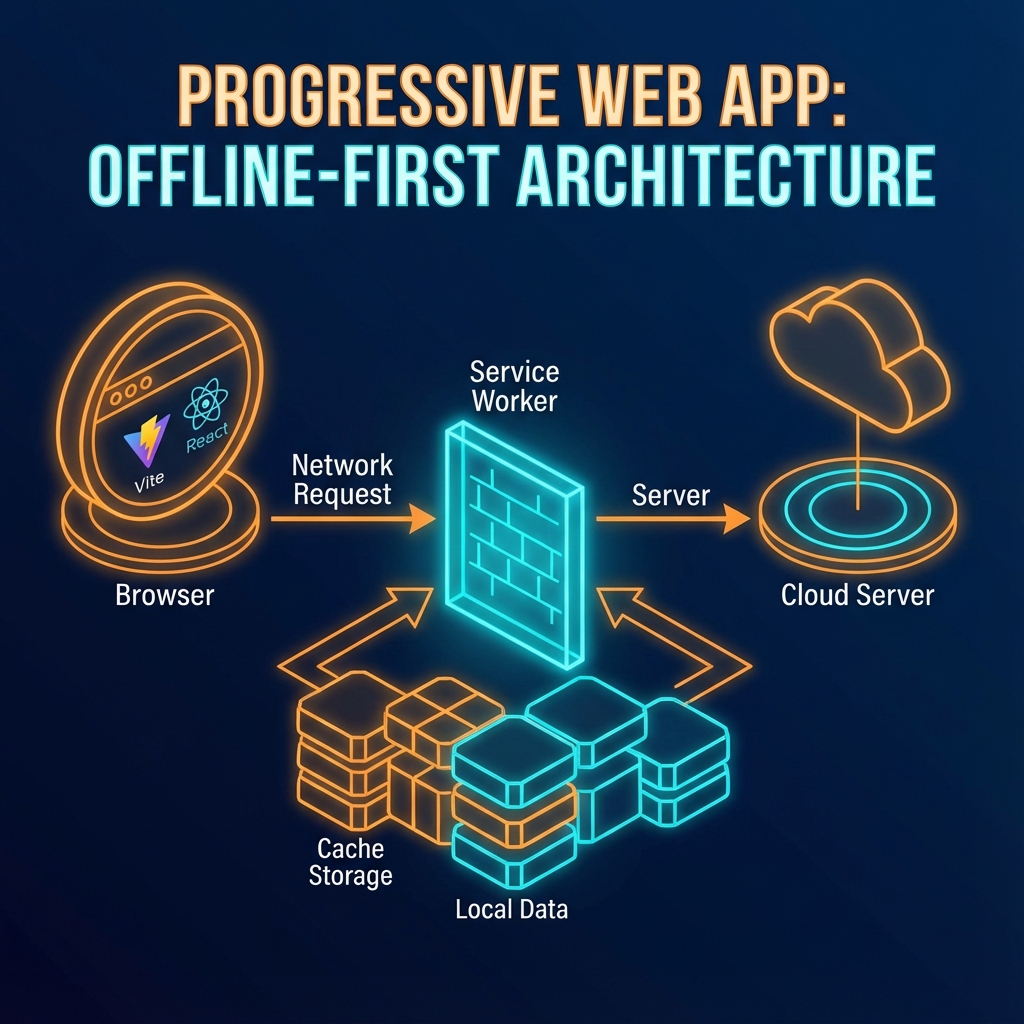
In today’s world, users expect applications to work seamlessly, regardless of their network connection. This is where Progressive Web Apps (PWAs) and offline-first architecture come into play. In this article, I’ll walk you through the process of building a resilient, offline-first React application using Vite and Workbox.
The Challenge: Ensuring a Seamless Offline Experience
The primary goal of this project was to create an application that could be used even when the user is offline. This meant that the application needed to be able to:
- Load instantly, regardless of the network conditions.
- Continue to function even if the user loses their network connection.
- Synchronize data with the server once the network connection is restored.
The Tech Stack: React, Vite, and Workbox
To achieve these goals, I chose the following technologies:
- React: A popular and powerful JavaScript library for building user interfaces.
- Vite: A modern and fast build tool that provides an excellent developer experience.
- Workbox: A set of libraries that make it easy to add offline support to web apps.
Why Vite for a PWA?
Vite is a natural choice for building PWAs. Its fast development server and optimized build process make it a pleasure to work with. Additionally, the vite-plugin-pwa makes it incredibly easy to configure a PWA and generate a service worker.
Workbox: The Hero of Offline-First
Workbox, a library developed by Google, simplifies the process of caching assets and handling offline requests. By using Workbox, I can define caching strategies for different types of assets, ensuring that the application is always available to the user.
Architecture and Implementation
The core of the offline-first architecture is the service worker. The service worker is a script that runs in the background, separate from the web page, and is responsible for intercepting network requests and handling caching.
graph TB
    Browser[Web Browser] --> App[React Application]

    subgraph "Service Worker Layer"
        SW[Service Worker]
        Cache[(Cache Storage)]
    end

    subgraph "Application Layer"
        App
        URQL[URQL Client]
    end

    subgraph "Network"
        API[GraphQL API]
    end

    App <-->|Intercepts Requests| SW
    SW -->|Cache First| Cache
    SW -->|Network Fallback| API
    Cache -->|Cached Response| SW
    API -->|Fresh Data| SW
    SW --> App
    App --> URQL
    URQL -->|GraphQL Queries| SW
Service Worker Configuration
The vite.config.ts file is where I configure the vite-plugin-pwa. Here’s a simplified version of the configuration:
import { VitePWA } from 'vite-plugin-pwa';

export default {
  plugins: [
    VitePWA({
      registerType: 'autoUpdate',
      workbox: {
        globPatterns: ['**/*.{js,css,html,svg,png,ico}'],
        cleanupOutdatedCaches: true,
        clientsClaim: true,
      },
    }),
  ],
};
In this configuration, I’m telling Workbox to cache all the important assets (js, css, html, svg, png, ico). I’m also telling it to automatically update the service worker when a new version is available.
Data Synchronization with GraphQL
For data synchronization, the application uses urql, a lightweight and extensible GraphQL client. When the application is offline, mutations are stored locally. Once the network connection is restored, the mutations are sent to the server.
sequenceDiagram
    participant UI as User Interface
    participant URQL as URQL Client
    participant SW as Service Worker
    participant Local as Local Storage
    participant API as GraphQL API

    UI->>URQL: Execute Mutation

    alt Online
        URQL->>API: Send Mutation
        API-->>URQL: Success Response
        URQL-->>UI: Update UI
    else Offline
        URQL->>Local: Queue Mutation
        Local-->>URQL: Queued
        URQL-->>UI: Optimistic Update
        Note over UI,Local: User continues working
    end

    Note over SW,API: Network restored

    SW->>Local: Check Queued Mutations
    Local-->>SW: Pending Mutations
    SW->>API: Replay Mutations
    API-->>SW: Process Results
    SW->>UI: Sync Complete
Conclusion
Building an offline-first PWA is a great way to improve the user experience and make your application more resilient. By using modern tools like Vite and Workbox, you can easily add offline support to your React applications. This project was a great learning experience and a testament to the power of modern web technologies.
Tags
