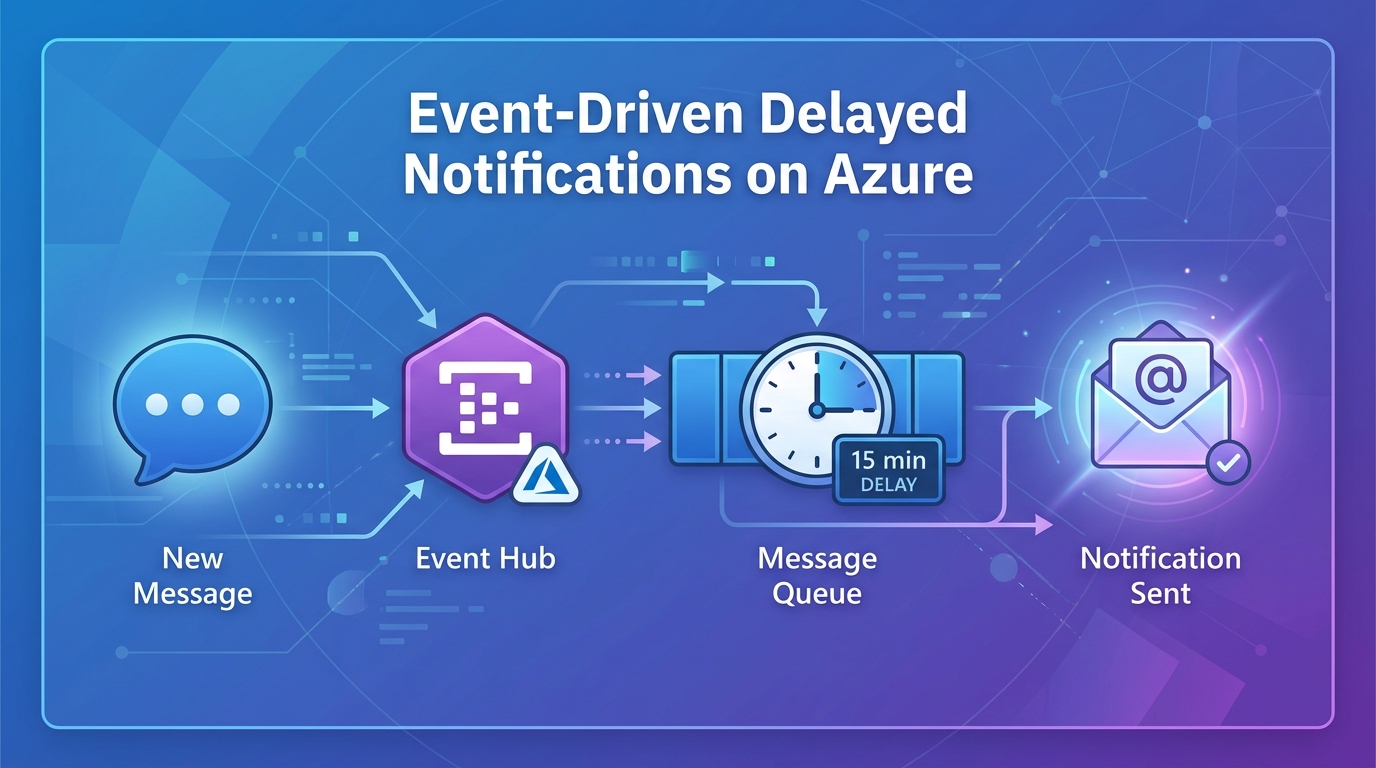
Introduction
In the world of real-time communication apps, delivering the message is only half the battle. The other half is handling what happens when the recipient isn’t there to see it.
Recently, I tackled an interesting challenge: How do I notify a user via email about unread chat messages, but only after a specific period (e.g., 15 minutes) of inactivity?
The naive approach would have been to build a “Cron Job” that runs every minute, scans every active conversation in the database, checks read statuses, and fires off emails. While this works for 10 users, it’s a performance and cost disaster at scale.
I needed a solution that was event-driven, scalable, and didn’t waste resources constantly checking for state changes. In this article, I’ll break down how I designed and implemented a serverless architecture on Azure to solve this “delayed notification” problem.
The Challenge: Waiting Efficiently
The core of the problem isn’t sending the email; it’s managing the delay efficiently. I needed a mechanism to say: “Here is a task, but don’t execute it until X minutes from now.”
Trying to manage this state and these timers within our own database and backend would have introduced significant complexity and amounted to reinventing the wheel.
Initial Sketch
Here’s the original hand-drawn architecture I sketched when conceptualizing this solution:
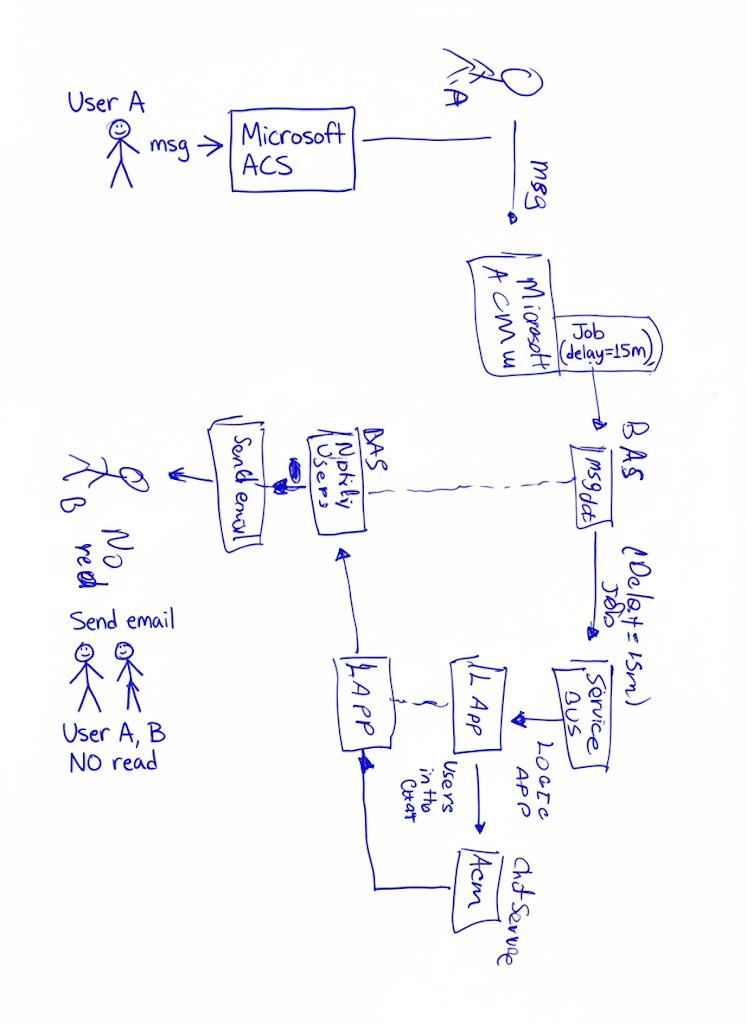 My initial whiteboard sketch showing the delayed notification flow
The Solution: Event-Driven Architecture
The solution I designed leverages the power of Azure’s managed services to offload the responsibility of scheduling and orchestration.
The flow is built around reacting to a “message sent” event and using a message queue with scheduling capabilities to handle the delay.
The Tech Stack
- Azure Communication Services (ACS): The core chat platform.
- Azure Event Grid: The glue that allows us to react to ACS events in near real-time.
- Backend API (FastAPI): Our logical controller that receives the initial event and decides what to do.
- Azure Table Storage: A fast, inexpensive NoSQL store for tracking pending notification state.
- Azure Service Bus Queue: The keystone. I use its scheduled messages feature to handle the 15-minute delay.
- Azure Logic App: The low-code orchestrator that wakes up when the scheduled message is ready and executes the final flow.
The Architecture Flow
Here is the final architecture diagram showing the complete event-driven flow:
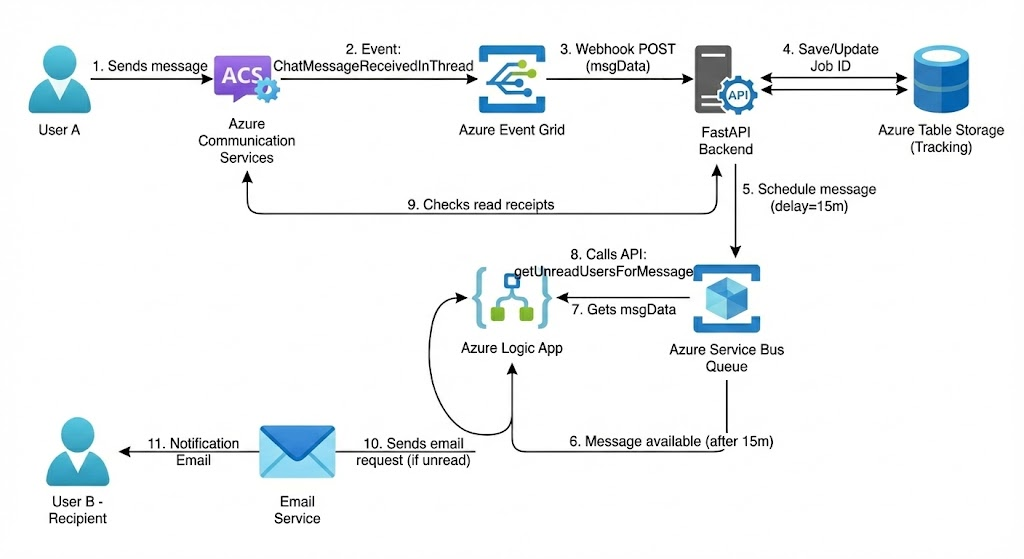 Complete architecture: Event Grid → Backend → Service Bus → Logic App → Email Service
Step-by-Step Walkthrough
- The Trigger: A user sends a message in the chat (ACS). ACS automatically emits a
ChatMessageReceivedInThreadevent. - The Capture: Azure Event Grid captures this event and pushes it to a Webhook on our FastAPI backend.
- Log & Schedule (The Secret Sauce):
- The backend receives the notification that a new message exists.
- It logs a record in Table Storage, indicating a notification is pending for this thread.
- Crucial Step: Instead of waiting, the backend immediately sends a message to an Azure Service Bus Queue, but with a
ScheduledEnqueueTimeUtcproperty set for 15 minutes in the future. Service Bus holds onto this message and does not deliver it to anyone until that time passes.
- The Wake-Up: Once the 15 minutes are up, Service Bus “releases” the message. An Azure Logic App, which is listening to the queue, is automatically triggered.
- The Final Check: The Logic App doesn’t send the email blindly. First, it calls back to our backend API to ask: “Have users X and Y read this message yet?”. The backend queries the actual Read Receipt status from ACS.
- The Action: If the backend confirms the message is still unread, the Logic App proceeds to send the notification email to the affected users via an integrated email service.
Key Design Decisions
Why Azure Service Bus?
The Scheduled Messages feature of Service Bus was fundamental. It allowed us to offload the complexity of managing timers and “waiting” to a robust managed service designed exactly for that purpose. It’s far more reliable and cost-effective than trying to build our own waiting mechanism.
Why Logic Apps for the Final Leg?
Logic Apps shines at orchestration and integration. Using it for the final phase (waiting for the queue message, calling an API, and then sending an email) vastly simplified the code I needed to maintain. It provides an easy-to-debug visual flow and built-in automatic retries.
Conclusion
This architecture demonstrates how complex business problems, like delayed notifications, can be solved elegantly by combining the right cloud services.
By moving from a “polling” based model to an event-driven architecture, I achieved a solution that is:
- Scalable: Handles spikes in messages without issue.
- Cost-Effective: The system only pays for events processed and storage used, not for idle servers waiting for time to pass.
- Maintainable: Each component has a single, clear responsibility.
Designing these types of distributed systems is one of the most rewarding parts of working in the cloud.
Tags
